
News
Make sure important messages reach everyone


 Help
Help
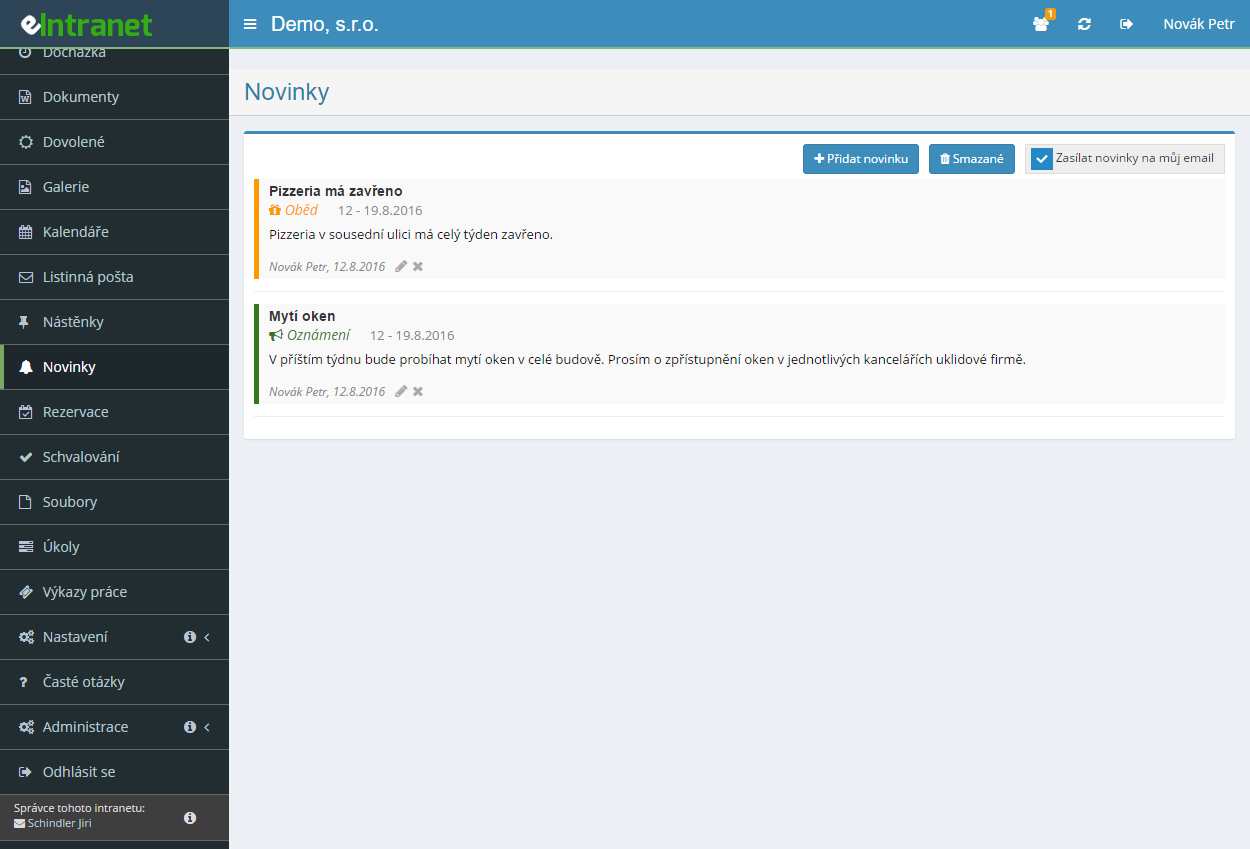
Publish news, updates and internal messages that employees see the moment they log in. Every post can carry formatted text, attachments and a main photo.
Tell announcements, deadlines and tasks apart using your own categories. Assign each type a colour and an icon so readers grasp the kind of message at a glance.
Colleagues learn about a new post by e-mail. Send the alert to everyone or just to selected teams, optionally as a blind copy and with files attached.
Set a from–to window for how long each post stays visible in the overview. Add the date of the event itself, so an invitation disappears once it is no longer current.
What you can use the news module for
-
Three display modes
Pick expanded cards, previews that link to a detail page, or a magazine layout with one large headline post. The look adapts to how you want to present content.
-
Drafts before publishing
Save a work-in-progress post as a draft only its author can see. Polish the wording at your own pace and publish it once it is ready.
-
Targeting work groups
Not everyone needs the alert about a new post. Choose specific departments or positions and the message reaches only the people it concerns.
-
Attachments and a main photo
Drag documents and an image onto the post. Rotate and crop the main photo to the ideal size right inside the application.
-
Filtering and search
Find an older post by title, content, author or type. The active filter is highlighted in the header, so you always know what you are filtering by.
-
Archive of older posts
Whatever you move off the front page stays available in the archive. A chronological overview keeps order without overwhelming readers.
-
Unread badge
Everyone sees the number of new posts as a badge next to the menu item. No important announcement slips through unnoticed.
Module Quick Employee Information Sharing is a key tool for internal communication, enabling you to instantly and effectively share important news, deadlines, or tasks with the entire team.
Main benefits of this module:
- Fast information distribution – automatic notifications sent via email and in-app, so employees never miss critical events.
- Clear post types – labeling as announcement, deadline or task ensures instant orientation and easy content categorization.
- Controlled time frame – setting the display period allows you to schedule communication so that information is available only for the desired duration.
- Increased employee engagement – regular, structured sharing fosters a sense of belonging and boosts motivation.
- Time savings – eliminating manual email or internal bulletin distribution saves an average of 15 minutes per employee each week.
Leverage this module to elevate your company’s communication—faster, clearer, and with measurable impact on productivity. Try eIntranet.net today!
Frequently asked questions
Yes, after clicking on the detail (the eye icon below the news text), you can see what parameters for sending the e-mail were selected and to whom and when the e-mail was sent.
For new images, we recommend a ratio of 1,666:1 (width x height), i.e. e.g. 1666 x 1000px.
If you have a portrait image, please adjust it so that it aligns to the left and transforms to landscape in this ratio with a transparent background (the .png format can do transparent backgrounds).
Registration is non-binding and includes a free 14-day trial of the application.